Article
Practical Desk Gadgets for Small Workspaces (6 Picks Under $90)
Quick Answer
Practical Desk Gadgets for Small Workspaces (6 Picks Under $90): quick answer
If you work from a corner of the living room, a rented room, or a fold-out table in the hallway, you already know the drill: there is never enough...
- Topic: Gadgets.
- Related product category: gadgets.
- This article keeps the main answer in the article copy and places relevant product context inside the guide.
If you work from a corner of the living room, a rented room, or a fold-out table in the hallway, you already know the drill: there is never enough surface, and the stuff you actually need — chargers, cables, a mouse — somehow always ends up in a tangle at the back of the desk. Small workspaces fail in predictable ways. The desk is too short, so your laptop sits at the edge and your wrists pay for it by Thursday. The power outlet is on the wrong wall, so you either stretch the laptop's stubby included charger across the floor or rearrange your whole setup around the socket. And the cables — the cables breed. A phone charger here, a laptop brick there, a headset lead snaking across the keyboard. By 3 p.m. your workspace looks less like a home office and more like the inside of a drawer. The work-from-home reality has made this worse, not better. Most of us never bought a dedicated "office desk" with cable grommets and a power channel; we made do with whatever furniture was available, then bolted a monitor and a lamp onto it. Reddit threads on must-have desk accessories and workspace organization forums keep circling the same answers — desk mats, monitor risers, cable trays — but the smaller your surface, the less room you have for more *stuff*. What actually helps in a tight space are things that remove friction: fewer cables fighting for space, charging that works wherever the socket happens to be, and input devices that don't drag a wire across your keyboard. That's the logic behind this list. It's a practical, budget-minded roundup of six items under $90 that solve the four classic small-workspace problems: cable clutter, charging chaos, ergonomics in tight quarters, and the awkward reality of making audio work on modern laptops and phones. One honest note before we start: four of the six picks are cables. We're not going to pretend otherwise. In a small workspace, the cable *is* the gadget — it's the thing that decides whether your charging setup works or fights you every day. We've kept the recommendations restrained, flagged the limitations of each item, and skipped anything we can't stand behind from the specs alone.
The 100W USB-C to USB-C Fast Charging Cable, 10 ft — $15.49
The problem it solves: A desk may be small while the nearest outlet is inconveniently far away. A longer cable can make placement more flexible, provided that it is routed safely and is compatible with the charger and device. What you're getting: This is a 100W USB-C to USB-C cable. That rating matters for laptop charging only when the charger and device also support the needed USB Power Delivery level. The 10 ft length is the headline feature, and the "durable cord" wording in the listing points to a tougher cable design than a basic short charging lead. Check the product page for connector details and data-transfer specs if you need more than charging. Who it's for: Laptop users whose desk position is dictated by an outlet. Anyone who occasionally works from the couch or bed and needs the charger to reach. People who want to route a charging cable along a baseboard or behind a cabinet so it's invisible until it's needed. Honest limits: A 10-foot cable can create a trip hazard or a tangle if it is not routed and secured. The 100W rating is a maximum, not a guaranteed charging speed; the charger and device determine the result. Do not assume a charging-focused USB-C cable meets your file-transfer needs unless the listing states its data specification. [100W USB-C to USB-C Fast Charging Cable, 10 ft Long Durable Cord — $15.49](/products/100w-usb-c-to-usb-c-fast-charging-cable-10-ft-long-p-008047)
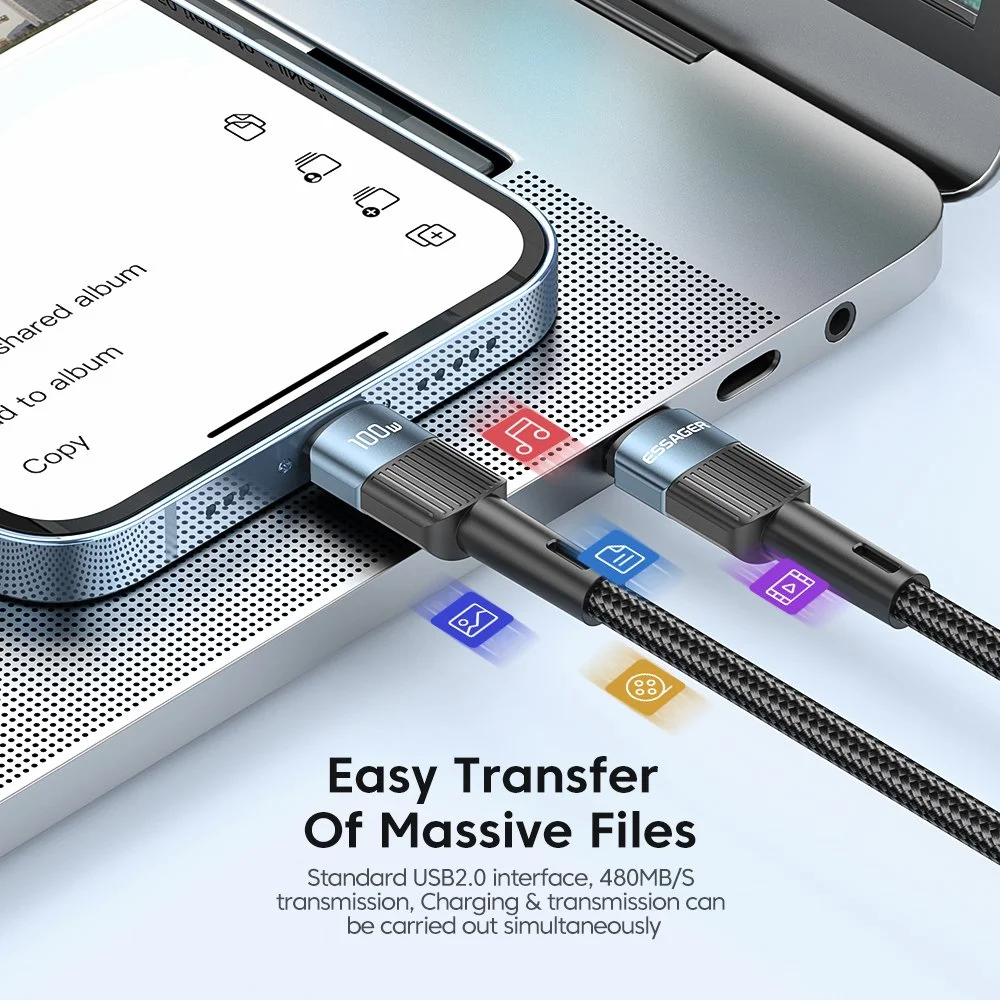
The 100W Retractable USB-C Fast Charging Cable, 6A — $25.49
The problem it solves: Cable clutter on a desk that has no room for cable clutter. Retractable cables are the oldest trick in the travel-gadget book, and they translate perfectly to small workspaces: the cable lives coiled inside its own housing, extends only as far as you need, and retracts back into a tidy little puck when you're done. If your desk doubles as a dining table or gets packed away at night, this is the difference between a two-second tidy-up and a five-minute untangling session. What you're getting: A retractable USB-C cable whose listing states 100W and 6A for car and home use. Treat those as specifications to verify against your charger and device rather than a promise of a particular charging speed. The retractable housing is the main reason to consider it: it keeps spare cable off the desk surface and makes a shared or multipurpose workspace faster to pack away. Who it's for: People who work from a shared or multipurpose space and pack up at the end of the day. Minimalists who hate visible cables. Commuters who want one tidy cable that works both at the desk and in the car. Anyone whose current setup looks like a plate of spaghetti behind the monitor. Honest limits: Retractable mechanisms are a moving part, and moving parts can wear. The extended length of a retractable cable is usually shorter than a dedicated long cable, so check the extended length in the listing if you need to reach a distant outlet. The housing also adds bulk, which is fine for a desk but noticeable if you're holding the phone while it charges. Treat this as a tidy, moderate-reach cable, not a replacement for the 10-footer above if your outlet is across the room. [100W Retractable USB-C Fast Charging Cable 6A for Car & Home — $25.49](/products/100w-retractable-usb-c-fast-charging-cable-6a-for-car-and-home-p-008051)
The 100W USB-C to USB-C Fast Charging Cable with LED Display, 6.6 ft — $34.65
The problem it solves: The mystery of the slow charge. If you've ever plugged in your phone, glanced at it twenty minutes later, and found it gained 4%, you know the feeling: is the cable bad? Is the charger weak? Is the port dirty? With a plain cable you have no way to tell. This one puts a small LED display in the connector housing that reports live charging figures while you're plugged in, so you can see whether power is actually flowing at the rate you expect — a genuinely useful diagnostic tool when you're juggling multiple chargers, hubs, and devices on a small desk. What you're getting: A 100W USB-C to USB-C cable at 6.6 feet (about two meters), with the LED display built into the plug end. The 6.6 ft length is a sensible middle ground: longer than many included cables, but short enough that it does not need aggressive management on a normal desk. The 100W rating means it may support laptop-class charging when paired with the right adapter and device. The display is the differentiator; on cables of this type, it typically shows charging figures so you can tell whether power is flowing as expected. Who it's for: People who've been burned by counterfeit or failing cables and want proof of what their charger is delivering. Households where several people share one charging corner and cables get swapped around. Anyone troubleshooting "why is my laptop charging so slowly" without wanting to buy a dedicated USB power meter. Honest limits: At $34.65 this is the most expensive cable on the list, and you're paying for the display — if you just need power delivered, the $15.49 options do that for half the price. The display housing is a rigid lump near the connector, which can make the cable awkward in tight spaces or when you're charging a phone held in your hand. And a display that tells you the wattage doesn't *make* anything charge faster — it's a window, not a charger. You still need a wall adapter capable of the wattage you want; this cable just shows you whether you're getting it. Also keep in mind that tiny LED readouts can be hard to read in bright daylight and glaring at night. [100W USB-C to USB-C Fast Charging Cable with LED Display – 6.6 ft — $34.65](/products/100w-usb-c-to-usb-c-fast-charging-cable-with-led-display-p-008236)
The Ergonomic Wireless Silent Mouse, 1000DPI 2.4G USB — $45.65
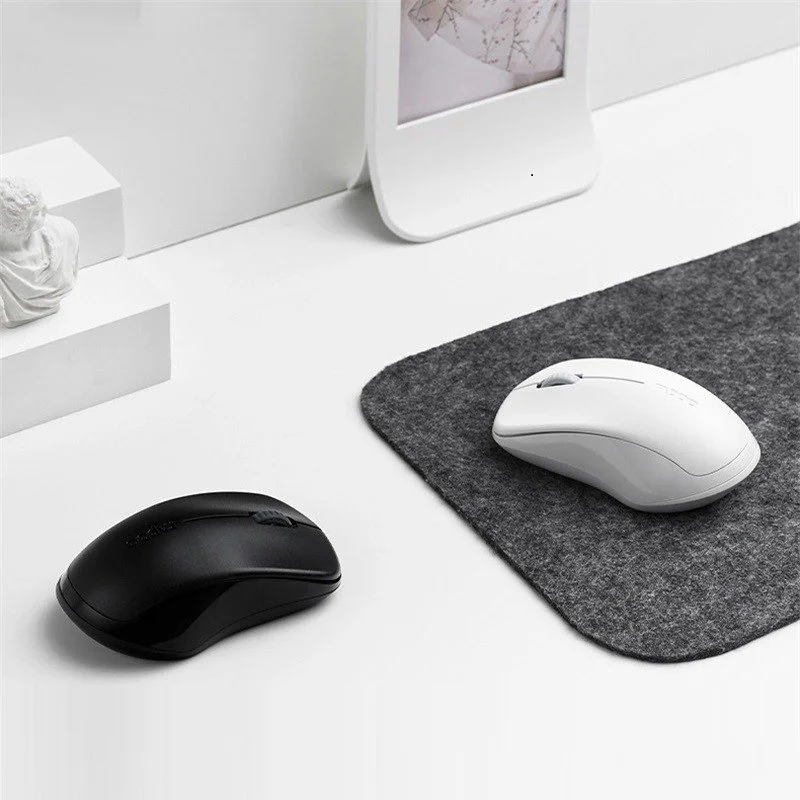
The problem it solves: On a small desk, the mouse is where ergonomics and clutter collide. A wired mouse drags its cable across your keyboard and into your coffee zone, and it constantly snags on the edge of your laptop. A cramped setup also means you're often reaching and twisting for the mouse instead of moving it freely, which is exactly the posture that turns a minor wrist ache into a recurring one. A wireless mouse removes the cable from the equation entirely, and an ergonomic shape gives your hand a more natural resting angle than the flat, narrow mice that ship with laptops. What you're getting: A wireless, silent-click ergonomic mouse with a 1000 DPI optical sensor, connecting over 2.4GHz through a USB receiver. It is marketed for laptops, PCs, and tablets, which suggests a compact, portable design rather than a large desktop palm-rest. The silent switches matter in shared rooms, on calls, or at night. Going wireless also removes one more cord from a small surface. Who it's for: WFH workers in shared or thin-walled spaces where click noise carries. Laptop users who move between the desk, the couch, and the coffee shop. Anyone whose mouse cord keeps catching on things. People who prefer compact laptop-style mice over full-size desktop mice. Honest limits: 1000 DPI is a modest sensitivity. It can be fine for a standard laptop display, but high-resolution or ultrawide monitor users may want more sensitivity. The 2.4GHz receiver occupies a USB port and can be lost if you travel with it; if your device lacks a compatible port, you may need an adapter. And "ergonomic" is a shape, not a cure. It will not fix wrist pain on its own; desk height, chair height, breaks, and posture still matter. Battery life should be confirmed on the product page. [Ergonomic Wireless Silent Mouse 1000DPI 2.4G USB for Laptop PC Tablet — $45.65](/products/ergonomic-wireless-silent-mouse-1000dpi-2-4g-usb-for-laptop-pc-tablet-p-008059)
The Lightning to 3.5mm TRRS Audio Adapter Cable for iPhone & iPad — $54.80
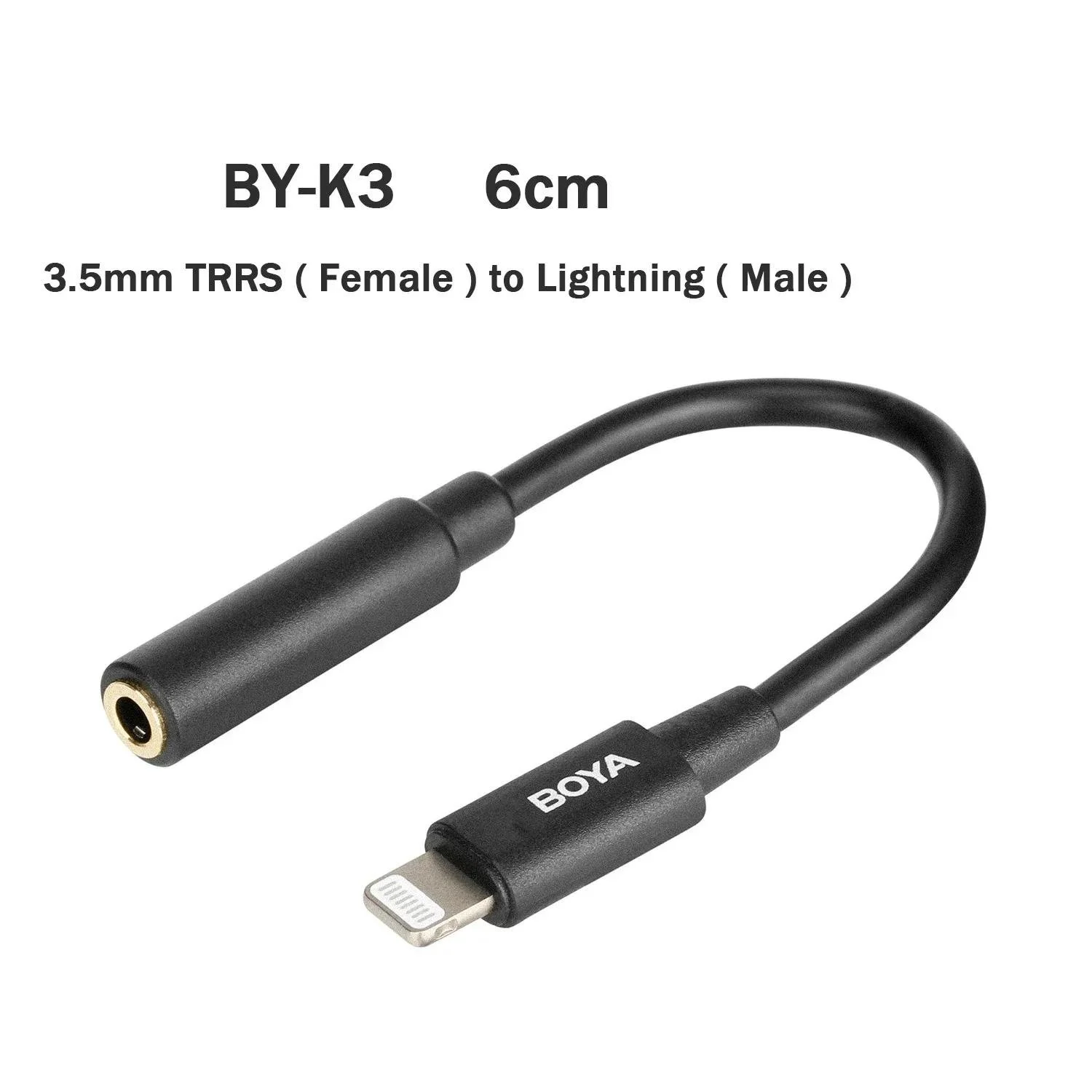
The problem it solves: The headphone-jack problem, which is still a small-workspace problem for people using Lightning iPhones or iPads. If your device lacks a 3.5mm jack, a wired headset cannot plug in directly. Bluetooth is convenient, but wired audio can still be preferable for calls, recording, monitoring, or avoiding earbud battery issues. This adapter restores a wired path for compatible Lightning devices and 3.5mm headsets. What you're getting: A Lightning to 3.5mm TRRS adapter cable for iPhone and iPad. The TRRS part matters: TRRS (tip-ring-ring-sleeve) is the four-conductor standard that carries both stereo audio *and* microphone — so this isn't just a music dongle, it's a way to use a wired headset with a mic for calls, meetings, and voice recording. That's exactly the WFH scenario: your desk setup already has a decent wired headset, and your phone is where the call comes in. The cable form factor — as opposed to a stubby dongle — also gives you a bit of reach, so the connector isn't dangling under the desk edge stressing the Lightning port. Who it's for: Anyone using a Lightning iPhone or iPad who owns wired headphones or a headset with a mic and does not want to replace them. Remote workers who take calls on their phone but prefer a wired mic. Creators who prefer wired monitoring for recording or editing. Honest limits: $54.80 is a lot of money for a cable, and this is the most niche item on the list. If you do not have a Lightning device and a wired headset you want to keep using, skip it. It is Lightning-only, so it will not work with USB-C iPhones or iPads; check your device's port before ordering. There is no charging passthrough here, so you cannot charge and listen at the same time through this adapter. TRRS matters only if your headset has a mic. [Lightning to 3.5mm TRRS Audio Adapter Cable for iPhone & iPad — $54.80](/products/lightning-to-3-5mm-trrs-audio-adapter-cable-for-iphone-and-ipad-p-008283)
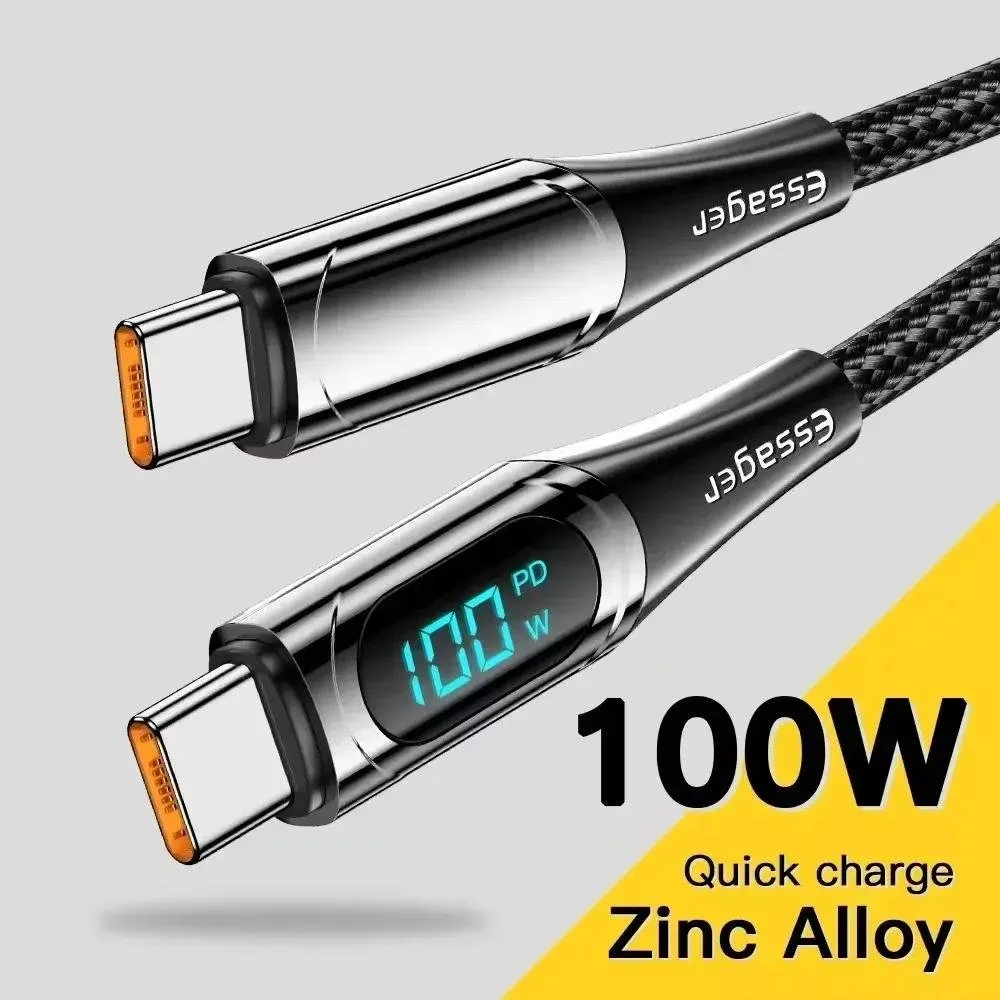
The 100W LED Type-C to Type-C Fast Charging Cable for Phones, Tablets & Laptops — $15.49
The problem it solves: Finding the right cable and knowing it's working — in a dark room or a shared charging corner. If your small workspace doubles as a bedroom or living-room corner, you've probably fumbled under the desk in the dark trying to tell which cable belongs to which device. This cable adds an LED indicator, so you can see at a glance that it's plugged in and delivering power, even when the lights are off and you're already half asleep. It's the little bit of feedback that plain cables simply don't give you. What you're getting: A 100W USB-C to USB-C (Type-C to Type-C) fast-charging cable rated for phones, tablets, and laptops, with an LED indicator on the connector. The 100W ceiling means it can support higher-power charging when paired with compatible hardware. At $15.49 it sits at the budget end of the list, which makes it an easy addition to a spare-cable drawer or a second charging spot. Who it's for: People who charge devices in low light — bedside chargers, desks in dim rooms, shared bedrooms. Households with one charging corner and several devices, where being able to tell cables apart matters. Anyone who wants a second laptop-capable cable without spending laptop-cable money. Tablet and phone users who want one cable that covers every device they own. Honest limits: The LED here is an indicator light, not a display — it tells you power is flowing, but it won't show you wattage numbers like the LED *display* cable higher up this list. If you want diagnostic data, that's the one to buy; if you just want to know it's charging, this does the job for less than half the price. The listing title doesn't state the cable length, which is a genuine gap — measure the distance from your typical outlet to where your device sits before ordering, because if it comes up short you'll be back to square one. And a bright LED in a bedroom can be its own small annoyance at night; check whether the light bothers you before making it your permanent bedside charger. [100W LED Type-C to Type-C Fast Charging Cable for Phones, Tablets & Laptops — $15.49](/products/100w-led-type-c-to-type-c-fast-charging-cable-for-phones-p-008237)
Comparison Table
| Product | Price | What it is | Best for | Watch out |
|---|---|---|---|---|
| [100W USB-C Cable, 10 ft](/products/100w-usb-c-to-usb-c-fast-charging-cable-10-ft-long-p-008047) | $15.49 | Long laptop-capable charging cable | Outlets far from the desk | Needs cable management |
| [100W Retractable USB-C Cable, 6A](/products/100w-retractable-usb-c-fast-charging-cable-6a-for-car-and-home-p-008051) | $25.49 | Self-coiling cable for car & home | Multipurpose desks, commuters | Moving parts wear; shorter reach |
| [100W USB-C Cable with LED Display, 6.6 ft](/products/100w-usb-c-to-usb-c-fast-charging-cable-with-led-display-p-008236) | $34.65 | Charging cable with live wattage readout | Troubleshooting slow charging | Priciest cable; rigid display housing |
| [Ergonomic Wireless Silent Mouse](/products/ergonomic-wireless-silent-mouse-1000dpi-2-4g-usb-for-laptop-pc-tablet-p-008059) | $45.65 | 1000DPI 2.4GHz silent wireless mouse | Quiet spaces, laptop users | 1000 DPI is low for big 4K displays |
| [Lightning to 3.5mm TRRS Adapter](/products/lightning-to-3-5mm-trrs-audio-adapter-cable-for-iphone-and-ipad-p-008283) | $54.80 | Wired audio adapter for Lightning devices | Wired headsets with mics | Lightning-only; no charging passthrough |
| [100W LED Type-C Cable](/products/100w-led-type-c-to-type-c-fast-charging-cable-for-phones-p-008237) | $15.49 | Laptop-capable cable with charging LED | Low-light charging, spare cable | No wattage readout; length unlisted |
Small-Desk Setup Checklist
Before buying any gadget, map the desk like a work surface, not a storage shelf. The keyboard and mouse zone should stay clear first. The charger route comes second. Everything else is optional. Use this order:
- Place the laptop or monitor where your neck can stay neutral.
- Put the mouse where your elbow can stay close to your body.
- Route the main charging cable behind the desk or along a wall edge.
- Keep only one daily-use cable visible on the desktop.
- Use the retractable cable for temporary charging, not permanent routing.
- Keep audio adapters in a pouch or drawer so they do not become desk clutter.
- Label similar USB-C cables if one supports higher power and another does not.
The point is to reduce decisions. In a small workspace, every loose cable asks the same question all day: "Where should I go?" A good setup answers that once. Long cables solve reach. Retractable cables solve pack-up. LED cables solve feedback. The mouse removes one cord from the surface. The right pick depends on which friction you hit every day.
FAQ
1. Is a 100W cable worth it if I only charge a phone? Not always. A phone will usually draw far less than 100W, and a cheaper standard cable may be enough. The reason to buy a 100W cable is flexibility: if you also have a compatible tablet or laptop, one cable can cover more charging situations. Actual speed still depends on the charger and device. 2. Do I need an ergonomic mouse if I work on a laptop all day? It helps, but it isn't a cure. Laptop trackpads and cramped desk positions are a real source of wrist and shoulder strain, and a wireless mouse with a better shape gives your hand a more natural position. But ergonomics is a system: the mouse is one part, alongside desk height, chair height, screen position, and taking breaks. If your budget only stretches to one upgrade, a mouse is a good start — just don't expect it to fix posture problems on its own. 3. Will these cables work with my laptop, phone, and tablet? USB-C charging cables work only with devices that have compatible USB-C ports and charging standards. The practical question is power: the cable's 100W rating is the maximum it can carry, and the actual charge speed depends on your charger and device. A 100W cable with a 20W phone charger will still only deliver what the charger and device negotiate. The Lightning adapter is the exception: it only works with Lightning iPhones and iPads, not USB-C models. 4. How do I keep a long cable from cluttering a small desk? Manage the slack, don't fight it. Route the cable along the wall or the back edge of the desk with adhesive cable clips, coil the excess and secure it with a velcro tie, or run it under the desk if you can. If your desk doubles as a dining table and gets cleared regularly, a retractable cable eliminates the problem entirely — that's exactly the scenario it's designed for. The cable isn't the clutter; unmanaged cable is. 5. Why would I need a Lightning to 3.5mm adapter in 2026? If you own a wired headset or headphones with a mic and a Lightning iPhone or iPad, an adapter may let you keep using them. Bluetooth earbuds are more convenient for many people, but wired audio avoids earbud battery concerns and may be preferred for some calls, editing, recording, or monitoring. It is a niche product, so buy it only if your device port and headset standard match. 6. What should I buy first for a small workspace on a budget? Start with the longest reach: a 10 ft 100W cable at $15.49 solves the outlet-distance problem that shapes every other decision about your desk layout. Then add cable management — clips or a retractable cable — because long cables without management become clutter. If you're in a shared or quiet space, the silent wireless mouse is the highest-impact ergonomic upgrade for the money. Skip the diagnostic LED-display cable and the Lightning adapter until you have a specific need for them; both are excellent at what they do, but they're solutions to problems you either have or you don't.