Story collection
The Complete Desk Setup Starter Kit: 24 Essentials for a Home Office That Actually Works
The Story: How I Learned My Desk Was the Problem
In early 2022, my company sent an email that changed my life in the most mundane way possible: “remote work is now permanent, please pick up your monitors.” I was one of the ones who’d been working from the dining table since the lockdown, laptop perched on a cookbook, chargers snaking across the tablecloth, joining Zoom calls from a chair that made my back file a complaint every single day.
I figured I’d “set up a proper office” - and like everyone else in that situation, I priced it out first. A mechanical keyboard, a 4K monitor, a boom microphone, an ergonomic chair. Total: about $900 before shipping. I closed the tab and decided my dining table was fine, actually.
Then came the Tuesday. The Tuesday where I was leading a client call, and my coworker - in front of the client - said “sorry, hold on, I can’t hear you, it sounds like you’re in a cafeteria.” I was at my dining table with the window open, and the garbage truck was on its route. I apologized, muted, and ordered a $30 microphone from the same company I’d spent my afternoon researching $200 ones.
That $30 microphone changed more than the call quality. It made me realize the whole desk problem was a layering problem, not a budget problem. You don’t need a $200 mic; you need a mic that isn’t the laptop’s. You don’t need a $150 keyboard; you need a keyboard that doesn’t make your wrists ache. You don’t need a $90 cable; you need cables that don’t dangle off the edge. The expensive version of every desk product is usually the same product with a brand name, and the cheap version of the right product beats the expensive version of the wrong one every single time.
So this is the kit I wish I’d had that Tuesday: 24 pieces, from a $10.49 charging cable to a $113.49 pen organizer, grouped by the five jobs a desk actually has to do. Nothing here costs more than the “nice dinner” version of itself. And every single piece is a real product from the PickByU catalog, prices checked 2026-08-06 - I’m not going to list a $19 mouse that turns out to be $60 at checkout.
Story Summary: The Desk Is A System, Not A Shopping List
The short version of this story is simple: a bad desk does not fail all at once. It fails in small moments until work starts feeling harder than it should. One cable is always missing. The mouse clicks too loudly during calls. The laptop microphone turns a normal meeting into an apology. Pens disappear when a client asks you to write something down. The keyboard is fine for ten minutes and annoying after three hours. By the end of the week, the desk is not just messy; it is stealing focus.
That is why this collection is not built as a “best gadgets” list. It is built as a starter kit for five repeated desk scenarios:
- The first remote-work desk: you need the basics that stop daily friction, not a luxury setup.
- The meeting-heavy desk: audio, charging, and a quiet input setup matter more than decoration.
- The small-apartment desk: every product has to earn its footprint because the desk may also be a dining table, vanity, or study space.
- The student or shared-room desk: low cost, cable discipline, and drawer organization matter because the space changes all day.
- The creator desk: audio and input devices become part of the output, so the microphone and keyboard choices matter more.
The kit works because each layer solves one kind of failure. Power keeps the day moving. Input devices protect your hands and reduce noise. Audio makes you sound like you are actually in the meeting. Organization keeps the desk from becoming a dumping zone. Comfort and extras make the space feel intentional enough that you want to return to it tomorrow.
Think of the desk like a morning routine. If one step is broken, the whole routine gets slower. A missing cable turns into a dead laptop. A bad mouse turns into wrist tension. A poor microphone turns into repeated explanations. A cluttered surface turns into ten seconds of searching before every task. None of those problems is dramatic by itself. Together, they make a home office feel temporary even after you have been using it for years.
The goal is not to buy all 24 pieces in one order. The goal is to understand the story your desk is telling. If the story is “I am always low on battery,” start with power. If the story is “people cannot hear me,” start with audio. If the story is “I cannot find anything,” start with organization. If the story is “my hands and shoulders feel tired,” start with input devices. The right first purchase is the one that removes the most repeated irritation.
1. Power & Charging (4 pieces) - The Layer You Notice Only When It’s Missing
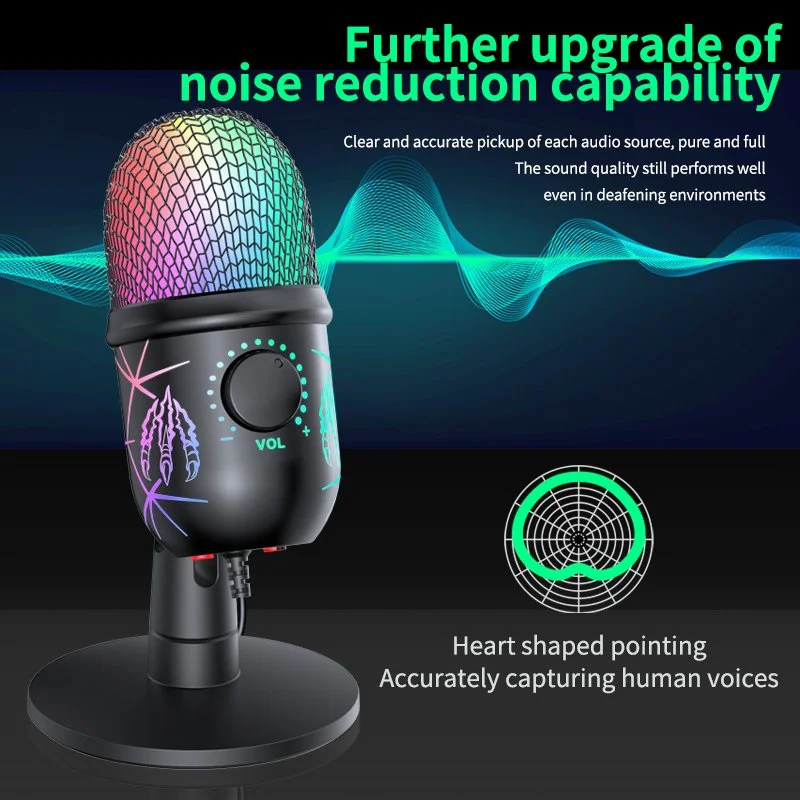
Every desk has a power problem. The laptop dies at 4pm, the phone is at 12%, the cable you’re using is from 2019 and charges at 2019 speeds. This layer is four cables that cost less than one fancy one - because the actual job is “have the right connector within reach.”
60W USB-C to USB-C Fast Charging Cable - $10.49 (p-008228). The baseline cable. If your laptop, tablet, or phone charges over USB-C - and it does - you need a spare that isn’t stretched across the room. 60W covers phones, tablets, and most ultrabooks; it’s the “always have one in the desk drawer” cable.
100W 7A USB-C Fast Charging & Data Cable - $13.80 (p-008235). This is the laptop cable. 100W is the wattage that actually charges a 14-16“ laptop at full speed, and 7A rating means it handles the current without cooking itself. One of these on your desk kills the “laptop at 40% all afternoon” problem.
USB-C to Lightning Fast Charge Cable 29W PD - $15.95 (p-008048). For the iPhone or iPad in the house. 29W PD is fast-charge territory for iPhones (20W+ is where “fast charging” kicks in), and having a dedicated lightning cable means you stop borrowing the iPad’s. If you’re USB-C-everything, skip this one - but most households still have at least one lightning device.
2-in-1 100W Fast Charging USB Cable with Dual Connectors - $19.80 (p-008045). The travel-and-guest cable: two connectors on one cable, so it fits both USB-C and lightning devices. It’s the cable you keep in your bag or hand to a guest who forgot theirs. 100W keeps it useful for laptops too.
Honest note: four cables feels like overkill until you count the cables you actually own that are broken, too short, or charge at 5W. This layer is about having the right connector at the right place - desk, bag, guest drawer - instead of the one cable you keep re-plugging.
2. Input Devices (5 pieces) - The Layer Your Hands Feel Every Day
Your hands touch the mouse and keyboard more than any other object in your work life. This is the layer where “cheap” genuinely hurts - a bad mouse gives you wrist fatigue, a bad keyboard makes every email a chore. The fix isn’t expensive; it’s silent and ergonomic.
Wireless Bluetooth 5.0 Mouse - Silent Click, 1600 DPI, Dual Mode - $28.49 (p-008296). The starter mouse. Silent clicks matter more than you think - if you’ve ever been on a call while someone clicks a loud mouse, you know why. 1600 DPI is plenty for work (4K screens want 2000+, but for a laptop screen it’s perfect), and dual-mode (Bluetooth + 2.4G) means it works with laptops and desktops.
Silent Wireless Mouse 1600 DPI with USB Receiver - $37.49 (p-008074). The budget workhorse: silent, wireless, receiver-based (no Bluetooth pairing dance). This is the “buy for the office desk and never think about it again” mouse.
Dual Mode Silent Wireless Mouse with Bluetooth & 2.4G, 4000 DPI - $46.95 (p-008184). The step-up: 4000 DPI handles a 4K monitor comfortably, dual-mode covers every device, and it’s still silent. If you work on a big screen or an ultrawide, this is the mouse that keeps your wrist from doing the “laptop mouse” claw.
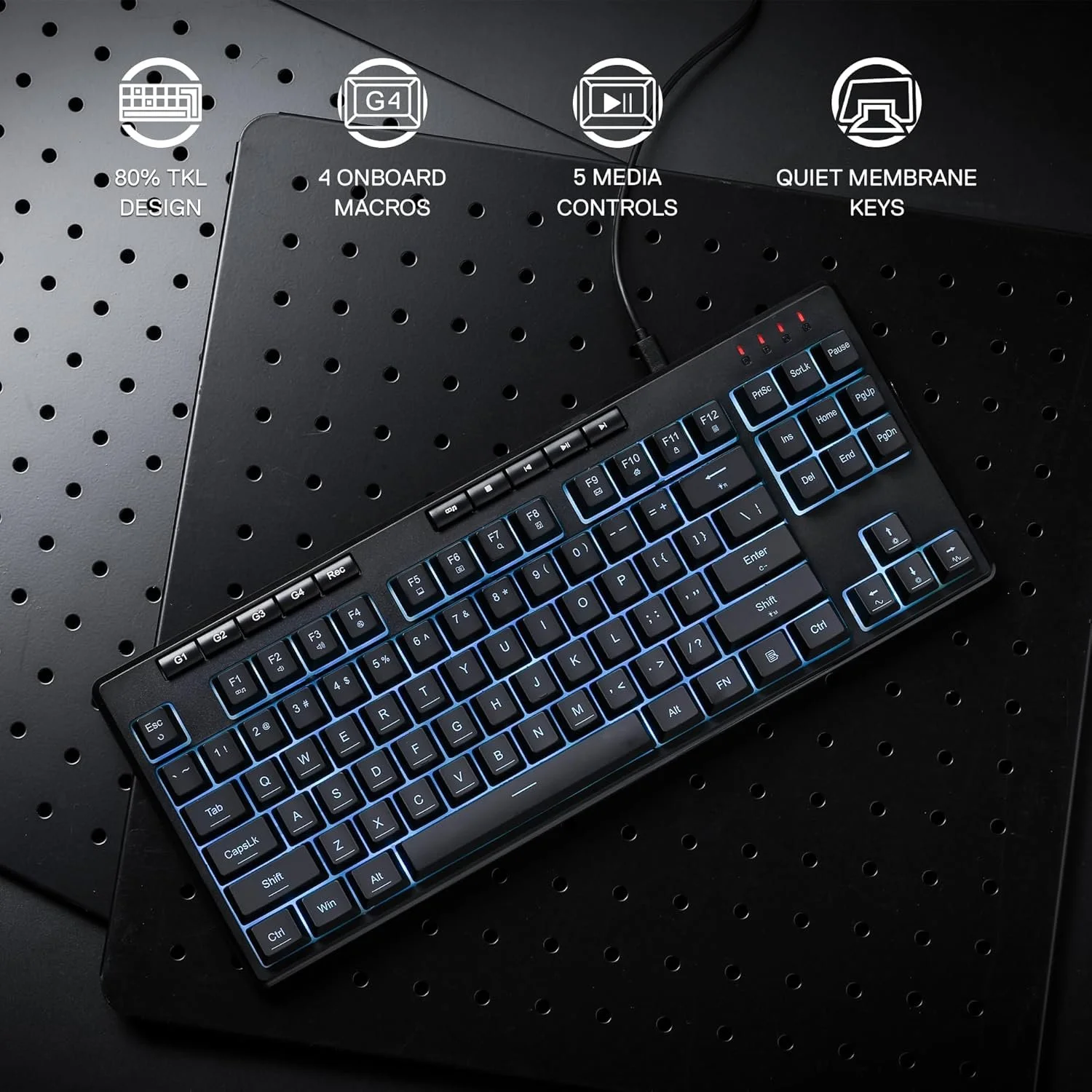
87-Key TKL Wired RGB Membrane Gaming Keyboard - $59.99 (p-008065). A tenkeyless keyboard - no number pad - which means it sits closer to you and your mouse, which means your shoulders don’t reach. It’s membrane (quiet, soft) not mechanical (loud, clicky), which is what you want when you’re not actually gaming. RGB is fun; the real feature is the layout.
Wireless Keyboard and Mouse Combo, 78 Keys Low-Profile Mechanical - $77.49 (p-008068). The one-box answer: keyboard + mouse, wireless, low-profile mechanical keys (the “halfway” feel between membrane and full mechanical). If you’re setting up a second desk or a spare room office, this is the buy-once piece that fills both input slots.
Honest note: no one needs RGB, and gaming-branded mice have features (macro buttons, adjustable polling rates) that office work never touches. Buy the silent, ergonomic features; ignore the gamer marketing.
3. Audio (5 pieces) - The Layer That Gets You Heard
This is the layer that embarrassed me into building this whole kit, and it’s the one most home offices get wrong. The laptop mic is not a microphone; the laptop speaker is not a speaker; and nobody wants to be the person the whole call can’t hear.
Wired Gaming Headset with Mic - 3.5mm Stereo - $24.49 (p-008011). The $24 solution to the “can you hear me” problem. A headset mic is inches from your mouth, which beats the laptop mic across the room. 3.5mm means it works with anything that has a headphone jack - laptop, desktop, console. If your budget is one audio purchase, this is it.
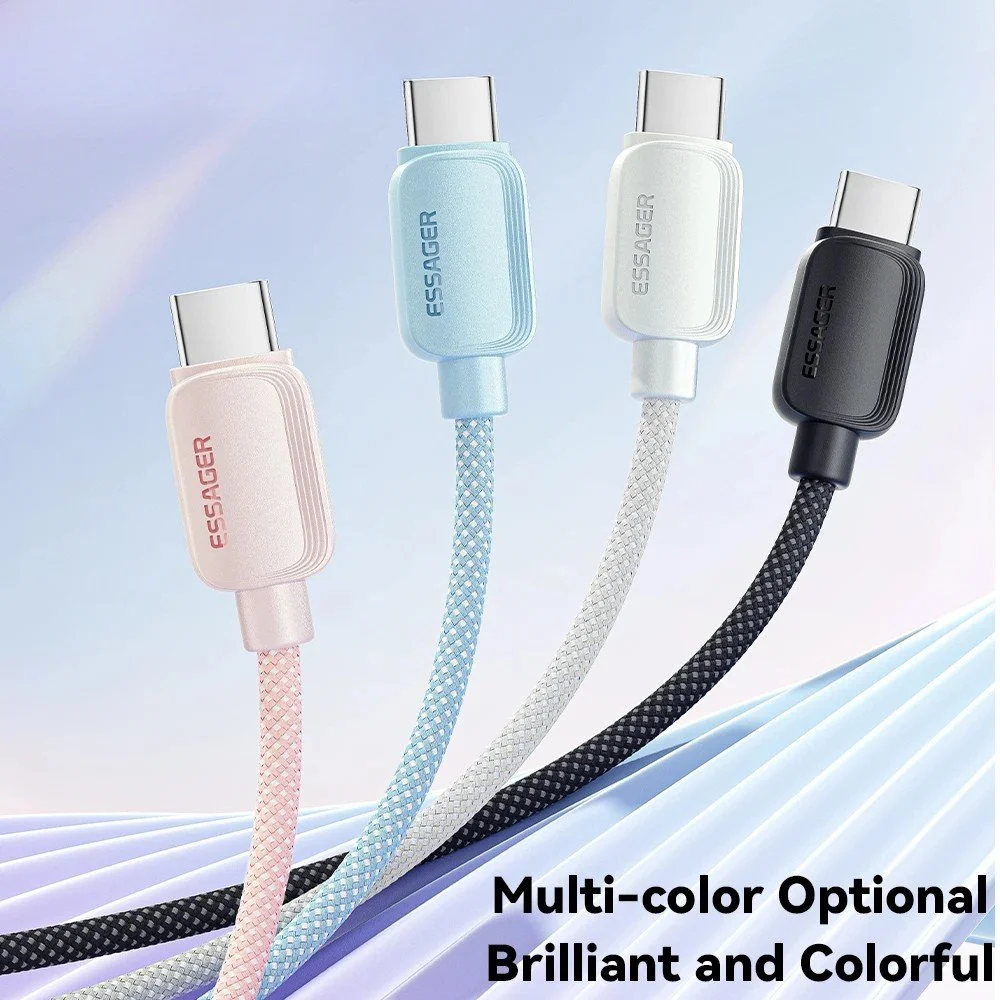
USB Gaming Microphone with RGB, Noise Cancellation & Headphone Jack - $30.49 (p-008101). The $30 mic that started my whole setup. USB plugs straight into the laptop, the cardioid pattern picks up your voice and not the garbage truck, and the headphone jack lets you monitor yourself without latency. This is the single best value on this list.
Wireless Bluetooth Headphones with 60H Playtime & 3 EQ Modes, Foldable - $37.65 (p-008226). For calls without a headset or music while you work. 60 hours of battery is a two-week work cycle on one charge, and the foldable design lives in a drawer or bag. These are “works well enough to not be the problem” headphones.
Wireless Clip-On Lavalier Microphone for iPhone & Android - $61.49 (p-008102). For the video-call-heavy crowd and anyone who records themselves. A lavalier clips to your collar, which is the professional-grade upgrade from the desk mic - it moves with you, and the wireless receiver handles phone or laptop. This is the “I do video calls all day” tier.
USB Condenser Desktop Microphone for Streaming, Podcasting & Recording - $95.95 (p-008280). The big one: a real condenser mic with a desk stand, the kind podcasters and streamers use. If you record, present, or do client-facing work where audio quality is a product, this is the mic that makes you sound like you have a studio. It’s the most expensive audio piece here and the only one that’s genuinely “pro.”
Honest note: the $30 USB mic solves 90% of home-office audio problems. The lavalier and condenser are for people whose work is audio. Don’t buy the $95 mic because the SERP said “podcasters use condensers” - buy it because you record weekly.
4. Desk Organization (8 pieces) - The Layer Your Brain Notices
This is the layer nobody budgets for and everyone needs. The desk is where mail, pens, cables, and the “I’ll deal with it later” pile all land. Eight cheap pieces turn the pile into a system.
Eggshell Pen Holder with Cute Chick Feet Base - $11.49 (p-000285). The pen home. Cute enough to be a conversation piece, functional enough to end the “where is a pen” search. It’s the cheapest thing on this list and the one you’ll use fifty times a day.
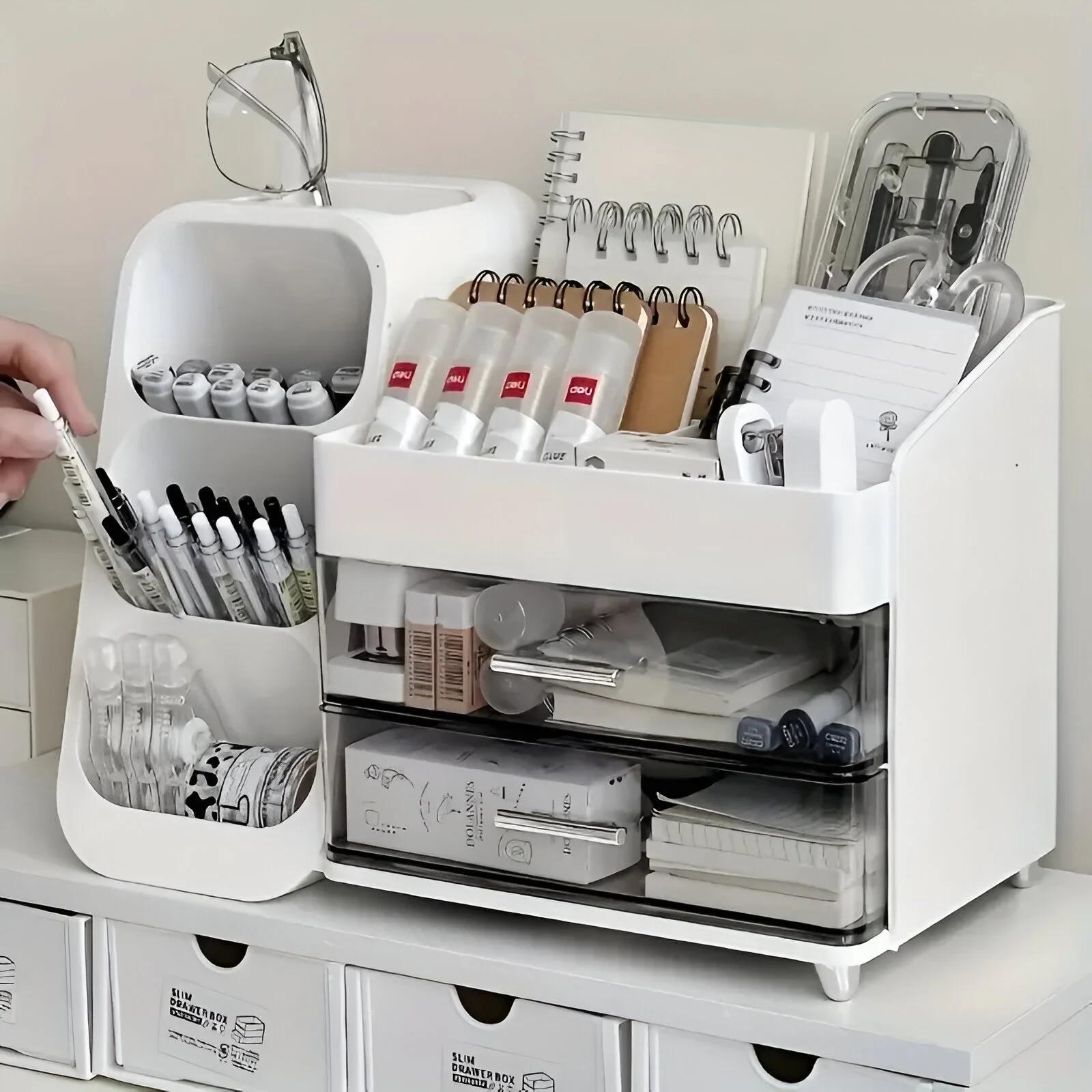
Drawer Style Multi-Compartment Desk Pen Holder Organizer - $26.49 (p-000289). The grown-up version: a drawer-style holder with compartments for pens, clips, sticky notes, and the random stuff. If the eggshell is the starter home, this is the two-bedroom.
Luxury Desktop Tissue Box with Storage Organizer Lid - $26.95 (p-000372). Tissues + a flat lid for small items (paperclips, charging earbuds, the ring you take off while typing). It’s the “this desk has a system” flex.
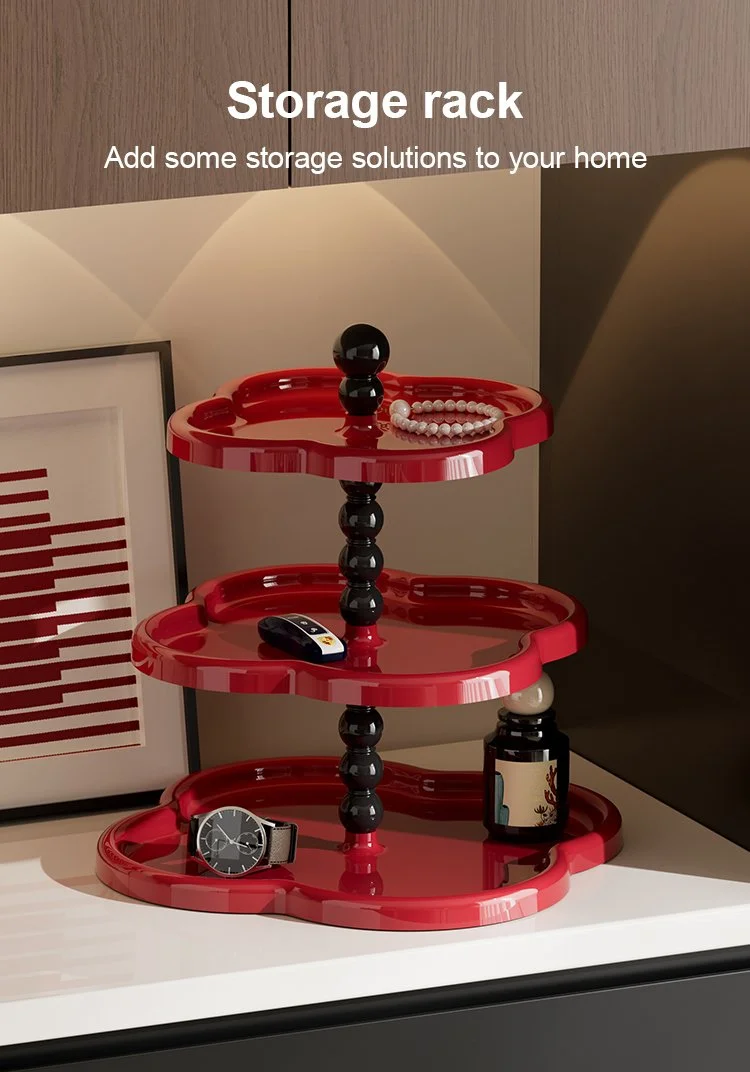
Modern Multi-Layer Desktop Storage Rack Organizer - $29.80 (p-000373). Two or three shelves of vertical desktop storage: documents, notebooks, the router that’s been sitting on the floor. This is the piece that empties your desk’s “pile zone.”
Cartoon Crab Desk Organizer & Tissue Box Holder with Storage - $33.49 (p-000377). The fun one: a crab-shaped organizer with compartments plus a tissue slot. If your desk is in a room that sees kids or guests, this is the piece that makes organization look like decor.
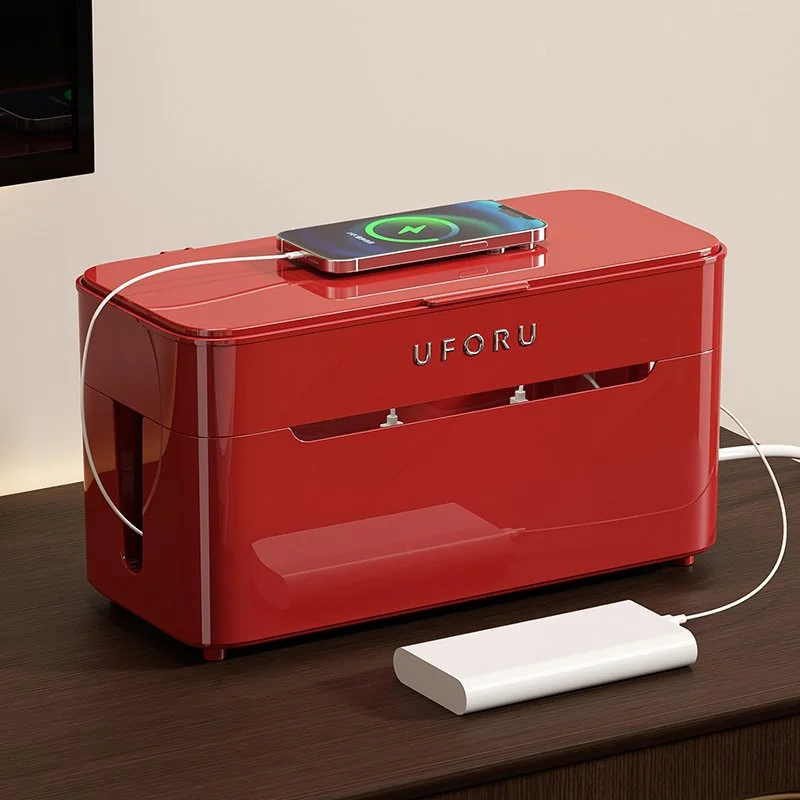
Desktop Cable Organizer Storage Box with Lid and Compartments - $44.49 (p-000194). The cable graveyard solution: a box with a lid and compartments for every cable, charger, and dongle. This is the piece that stops the “tangled drawer of cords” problem permanently.
3-Grid Desk Organizer Pen Holder with Large Capacity Storage - $47.65 (p-000287). Three compartments of pen-and-supply storage with real capacity - the desk version of “everything has a home.”
Stackable Desk Drawer Organizer with Diagonal Pencil Holder - $56.80 (p-000286). For the desk with a drawer: stackable trays with a diagonal pencil slot (which beats the pencil-flat-in-drawer problem). It organizes the drawer so the desk surface stays clear.
Honest note: organization products are the easiest to over-buy. You don’t need eight organizers - you need one home per category (pens, cables, mail, supplies). Pick the four that match your categories and stop there.

5. Desk Comfort & Extras (2 pieces) - The Layer That Makes It Yours
Mini USB Aroma Humidifier & Essential Oil Diffuser with Soft LED Light - $13.49 (p-008199). The desk-adjacent comfort piece: a tiny humidifier that runs off USB, with a soft light that doubles as ambiance. In dry offices it genuinely helps with the “stuffy nose by 3pm” problem, and the LED is nicer than the harsh ceiling light.
SmartDesk Drawer Pen Holder & Stationery Organizer - $113.49 (p-000290). The splurge of the kit, and the one I’ll defend: a drawer-style organizer that slides under the desk or sits on it, holding pens, paper, and stationery with real capacity. Nobody needs a $113 pen organizer - until they’ve spent 15 minutes on a client call looking for a pen. It’s the “this desk is finished” capstone.
Honest note: the humidifier is a nice-to-have, and the $113 organizer is a “treat yourself after the kit works” piece. Neither is required; both make the desk feel like yours instead of a desk.
The Budget Breakdown
| Tier | What you get | Total |
|---|---|---|
| Essential (power 4 + input 3 + audio 3 + org 4 + comfort 1) | 15 pieces | ~$330 |
| Full kit (all 24 pieces) | 24 pieces | ~$1,070 |
| The “I only fix one thing” single purchase | USB microphone ($30.49) or headset ($24.49) | $25-31 |
The honest math: the full 24-piece kit costs less than a single premium mechanical keyboard (a real one runs $200-350) or a single 4K monitor. The layering principle - buy the cheap right thing for every job before the expensive right thing for one job - is the whole strategy.
Scenario Paths: Which Desk Setup Story Are You In?
A desk setup article becomes useful only when the reader can recognize themselves in it. The same 24 products do not matter equally to every person. A remote account manager, a college student, a designer in a small apartment, and a beginner podcaster all sit at a desk, but they do not need the same first five purchases. Use the scenarios below to decide which layer should come first.
Scenario 1: The Meeting-Heavy Remote Worker
This person lives inside calls. The workday is shaped by Zoom, Teams, Google Meet, client check-ins, internal standups, and the quick “can you jump on for five minutes” meeting that becomes forty minutes. For this desk, audio is not an accessory. Audio is work infrastructure.
Start with the USB Gaming Microphone at $30.49 or the Wired Gaming Headset at $24.49. The microphone is better if you want to keep your ears open and use speakers or headphones separately. The headset is better if the room is noisy, shared, or unpredictable. After audio, buy one reliable cable for the laptop and one silent mouse. That three-piece setup fixes the visible problems first: people hear you, the laptop stays alive, and your clicking is not part of the call.
Organization comes later for this user, but it still matters. Meeting-heavy desks collect water bottles, notes, old printouts, sticky notes, cables, earbuds, pens, and receipts because calls interrupt cleanup. A desktop cable organizer and one pen holder are enough at first. Do not buy the whole organization layer until you know what piles actually appear after a week.
Scenario 2: The Small-Apartment Desk
The small-apartment desk is rarely just a desk. It may be a dinner table at 7pm, a vanity on weekends, a gaming space at night, and a work surface during the day. This setup needs products that disappear, stack, or reduce visual clutter. Anything bulky has to earn its footprint.
Start with the 60W USB-C cable, the 2-in-1 dual connector cable, the silent wireless mouse, and the Desktop Cable Organizer Storage Box. That combination solves the most common small-space problem: cables spread across the only flat surface in the room. Add the Modern Multi-Layer Desktop Storage Rack only if you have vertical clearance and the desk is not already under a shelf or window.
For small rooms, avoid buying three novelty organizers. One cute pen holder is fine; four small containers can make the desk look busier. The best organization product is the one that absorbs several categories at once: pens, small tools, mail, earbuds, spare cables, and sticky notes. A small desk should look calmer after the purchase, not more decorated.
Scenario 3: The Student Or Shared-Room Desk
A student desk has a different rhythm. It shifts between class, homework, gaming, charging, eating, and storage. The budget is tighter, and the desk may not be permanent. The right kit is the one that can move at the end of a semester without feeling like furniture.
Start under $100: one charging cable, the $28.49 silent mouse, the $11.49 pen holder, and either the $24.49 headset or the $30.49 USB microphone. If the student takes online classes, prioritize the headset. If they present, tutor, record, or speak often, prioritize the microphone. Add the cable organizer when the number of devices passes three.
The keyboard is optional for a laptop-only student, but it becomes useful when the laptop sits on a riser or external screen. A tenkeyless keyboard is a good compromise because it saves space and keeps the mouse closer. Do not spend early money on the $113.49 organizer unless the desk is already stable and the student actually uses paper, pens, or supplies every day.
Scenario 4: The Creator Desk
A creator desk is judged by output. If the person records voiceovers, streams, edits video, teaches online, presents, or makes product demos, audio and input devices have more value than decorative organization. A shaky microphone or loud keyboard can make the work feel less polished, even when the content is good.
Start with the USB Condenser Desktop Microphone if the work includes regular recording. If the person records while standing, moving, or filming with a phone, choose the wireless lavalier microphone instead. Add the 100W USB-C cable so the laptop can run through long recording or editing sessions without battery anxiety. Then choose the low-profile keyboard and mouse combo if the desk needs a clean wireless look.
Creator desks also need a hidden cleanup system. Cameras show what is behind the subject, but the surface still collects adapters, SD cards, earbuds, and notes. A cable organizer box and one multi-compartment holder are enough at first. The goal is not a perfect studio; it is a desk that can become camera-ready in two minutes.

Build The Kit In Phases Instead Of Buying Everything
The worst way to build a desk is to buy 24 products because a list says they belong together. The best way is to solve one layer, use the desk for a week, then solve the next layer. That gives you proof before you spend.
Phase 1: Stop the obvious failure. Buy the item that fixes the thing people notice. If callers cannot hear you, buy the mic or headset. If the laptop dies, buy the 100W cable. If your wrist hurts, buy the better mouse. This first purchase should change the next workday immediately.
Phase 2: Make the desk repeatable. Add the cable setup, one input device, and one organizer that prevents the same mess from returning. Repeatability matters more than aesthetics. A desk that resets in two minutes will stay useful longer than a desk that looks perfect once.
Phase 3: Upgrade comfort only after the basics work. The humidifier, higher-end organizer, keyboard combo, and pro microphone are valuable only when the basic desk already functions. Comfort upgrades should make a working desk better, not distract from a broken one.
Phase 4: Remove duplicates. Once the kit starts working, take away the old cable, the old mouse, the half-broken earbuds, the pens that do not write, and the extra containers. Buying organization without removing duplicates is just expensive clutter.
The Desk Map: Where Each Layer Should Live
A good desk has zones. The front center is for active work: keyboard, mouse, notebook, and current device. The back edge is for low-frequency items: tissue box, organizer, rack, spare cable, or humidifier. The side closest to the outlet is the power zone. The opposite side is the note and supply zone. If every object claims the front center, the desk will feel crowded no matter how good the products are.
Power products should not cross the writing area. Run the laptop cable from the outlet side and keep one short cable inside the organizer box. Input devices should sit close enough that your shoulders stay relaxed. Audio gear should be reachable but not in the way of typing. A desktop microphone is usually best off to the side, angled toward the mouth, while a headset should hang or fold into the same place every day.
Organization products should match the mess they collect. Pens and sticky notes need a small holder. Cables need a closed box. Paper needs a rack or tray. Random daily items need one catch-all, not five. If you cannot name the category an organizer will hold, do not buy it yet.
Comfort products belong at the edges. The humidifier should not sit beside electronics where a spill or mist problem could matter. It should be close enough to feel useful and far enough from the laptop, keyboard, microphone, and paperwork that it does not create risk. The expensive drawer organizer should either become the main stationery home or stay off the desk until it has a clear job.
What To Skip At First
Skip extra mice. Choose one basic silent mouse or one higher-DPI dual-mode mouse. Owning three pointing devices creates more pairing and storage problems than it solves.
Skip the pro microphone unless audio quality is part of the work. The $30 USB microphone solves ordinary calls. The condenser microphone is for recording, presenting, streaming, or client-facing work where sound quality changes how professional the work feels.
Skip multiple small organizers. A desk with six cute containers can still be disorganized if each one holds a random mix of items. Buy one organizer per category. If pens, sticky notes, and clips fit into one multi-compartment holder, do not add three separate cups.
Skip comfort extras until the work layer is stable. A diffuser on a desk with missing cables is decoration, not a solution. Buy it when the desk already supports the day and you want the space to feel better.
Skip anything that duplicates what already works. If your existing keyboard is comfortable and quiet, keep it. If your headset already sounds good, do not buy a microphone just because it appears in the kit. The collection is a menu, not a command.
A 30-Minute Setup Routine
Use this routine when the products arrive. First, clear the desk completely. Put every cable, pen, notebook, adapter, and loose item into a temporary pile. Wipe the surface before adding anything back. Second, place the laptop or monitor, keyboard, and mouse. These define the working zone. Third, connect the main charging cable and test that it reaches without crossing the mouse path.
Fourth, set up audio and make one test recording. Do not wait for the first real meeting to discover that the microphone is too far away or the headset input is wrong. Fifth, choose one organizer for pens and small supplies. Sixth, put spare cables into the cable box and remove broken or duplicate cables. Seventh, add comfort items only if they do not crowd the working zone.
Finally, take a photo of the finished desk. This is not for social media. It is a reset reference. At the end of the week, compare the real desk to the photo. The places that changed are the places where your system still needs work. If cables returned, improve the cable zone. If paper returned, add a paper tray. If small items returned, change the catch-all. The desk teaches you what to buy next.
Final Recommendation
The strongest version of this kit is not the full 24-piece cart. It is the version that matches your actual desk story. Most people should start with five pieces: one reliable charging cable, one quiet mouse, one audio fix, one pen or supply organizer, and one cable box. That is the practical starter kit. Everything else is a branch: better keyboard for heavy typing, better microphone for creators, more storage for paper-heavy work, and comfort extras after the basics are stable.
The desk setup that works is the one you can reset. If it takes twenty minutes to make the desk usable, the system is too complicated. If it takes two minutes, you will keep using it. That is the real value of this collection: it turns a temporary surface into a repeatable work station without pretending that every buyer needs a designer office.
One final scene test helps: sit down at the desk at 8:55am as if a meeting starts at 9:00. Can you charge the laptop, find a pen, join audio, move the mouse comfortably, and clear enough surface for notes without standing up? If yes, the setup is working. If no, buy only the item that fixes the failed step.
FAQ
Q: Do I really need a separate microphone if my laptop has one? A: If you’re on calls where people can hear you clearly, no. If you’ve ever been asked to repeat yourself, been told “you’re breaking up,” or heard “it sounds like you’re in a cafeteria” - the $30 USB mic fixes that for less than the laptop’s repair cost.
Q: Should I buy a gaming mouse for office work? A: No. Gaming mice have features (macro buttons, adjustable polling rates, RGB) that office work never touches, and the aggressive designs are usually less ergonomic for long work days. Buy the silent, ergonomic, dual-mode mouse - the “gaming” tax buys nothing for you.
Q: Is a mechanical keyboard worth it for work? A: If you type all day, the low-profile mechanical feel (like the combo at $77.49) is a genuine comfort upgrade. Full mechanical with clicky switches is a personal preference - many people find it loud on calls. The membrane TKL at $59.99 is the safer work pick; the combo is the step-up.
Q: How many cables do I actually need? A: One per device location: one laptop cable on the desk, one in the bag, one spare. Plus one lightning/USB-C guest cable. That’s 3-4 cables - and the cable organizer box is what keeps them from becoming a drawer of snakes.
Q: Can I build this kit for under $100? A: Yes: the headset ($24.49) + the $30.49 mic (no, pick one) + one cable ($10.49) + the pen holder ($11.49) + the silent mouse ($28.49) = the $75 “stop being embarrassed on calls” kit. That’s the entry point. Everything else is comfort and organization.
Q: What should I buy first? A: The thing that embarrasses you most on calls - for most people, audio (headset or mic). Then input (mouse/keyboard), then power, then organization. The comfort layer last. This order fixes the visible problems first, which is what keeps you using the kit.